Analog or digital
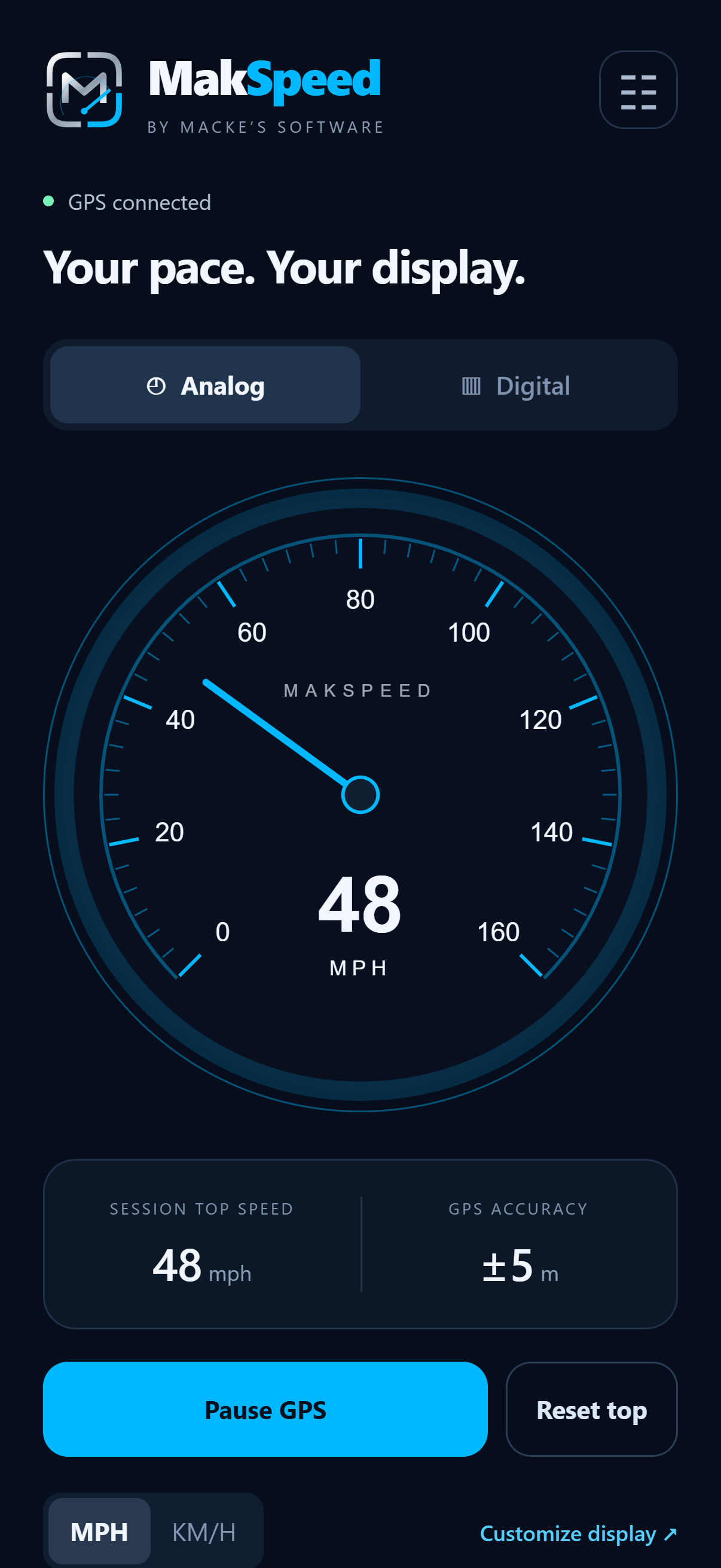
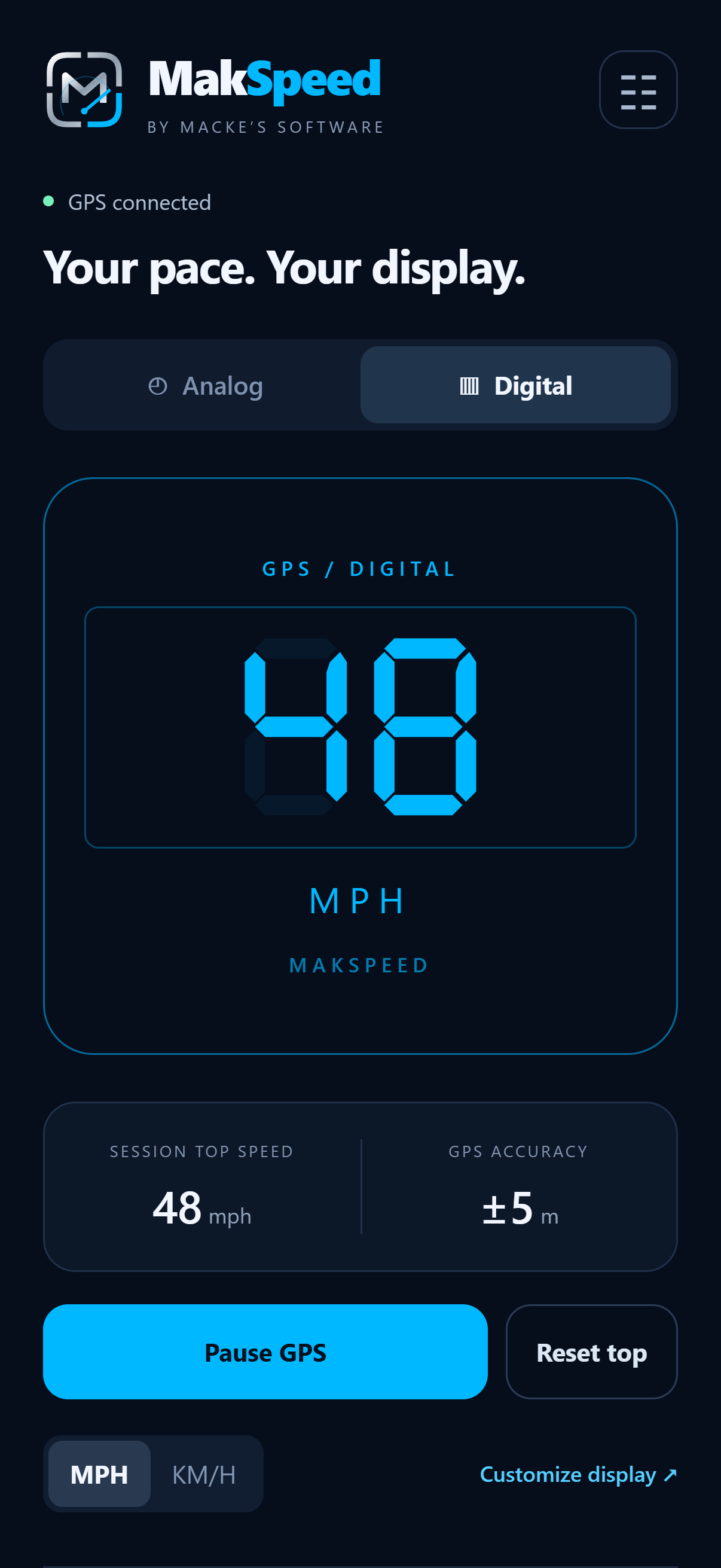
Pick from five analog and five digital styles. Switch between MPH and km/h, and set the analog dial's maximum from 100 to 300 MPH, with the corresponding range in km/h.
MakSpeed / GPS speedometer
 Your speed.
A clear, customizable speedometer by Macke's Software. Choose an analog dial or a digital display, tune the colors, and let your phone's GPS do the measuring.
Made for a quick glance
Pick from five analog and five digital styles. Switch between MPH and km/h, and set the analog dial's maximum from 100 to 300 MPH, with the corresponding range in km/h.
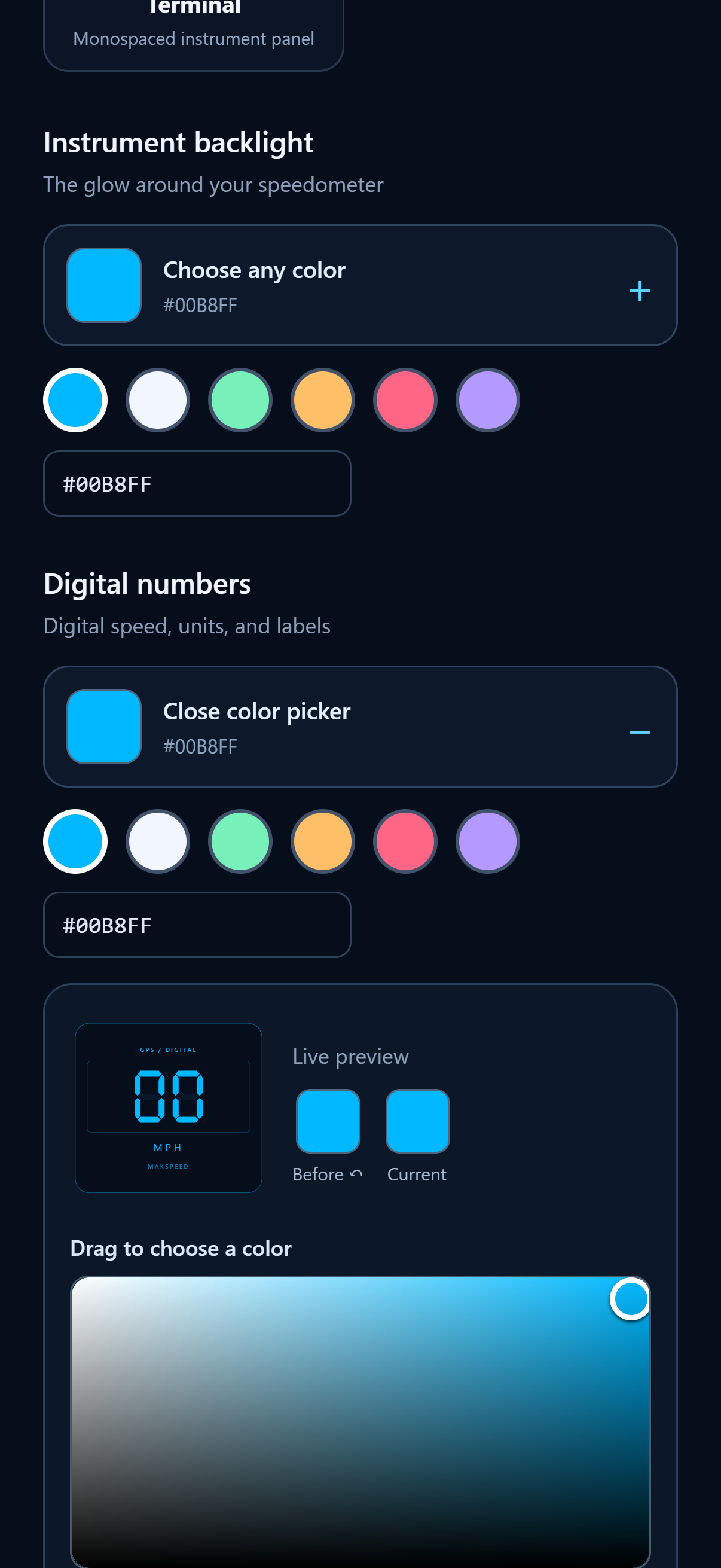
Customize the analog face, backlighting, and gauge lighting, or change the digital numbers and background. Use the color picker, enter a hex color, and save favorites.
Tap the gauge to start GPS and open the selected display in full screen. Portrait and landscape layouts keep your speed easy to read, with a small banner ad along the bottom.
No vehicle connection or sign-in is needed. Speed is calculated on your phone using GPS. Measuring speed does not require an internet connection; ads do.
See GPS connection and accuracy information alongside your session's top speed. Resetting top speed asks for confirmation.
Small bottom banner ads support the app, including in full screen. MakSpeed does not use full-screen pop-up ads.
Inside MakSpeed
App interface previews with simulated speed readings. Final appearance varies by device and settings.
Your phone does the measuring
MakSpeed processes GPS readings on your device and does not send them to Macke's Software or the advertising SDK. Location is used while the app is in the foreground; measurement pauses in the background. Display preferences stay on your device.
Google AdMob provides the banner ads and may process device identifiers, IP-derived approximate location, ad interactions, and diagnostics. The privacy policy explains these third-party services and your choices.