← All projects

Engineering Research Corporation

Coming soon

ERC

A home for research.
A workspace for the team behind it.

A planned corporate website and secure Site Workspace for Engineering Research Corporation LLC, bringing research publishing, content management, documents, and team workflows together.

ERC Corp ? Engineering Research Corporation
Engineering Research Corporation
Website and Site Workspace · Coming soon

Project summary

Share the research.
Manage the work.

ERC?s public website will introduce its engineering and research capabilities and showcase research PDFs from GitHub. Authorized team members will have a central place to update content, organize documents, collect submissions, and manage configured workflows.

This is a preview of the planned scope. The project is coming soon; a public launch link is not available yet.

Website preview

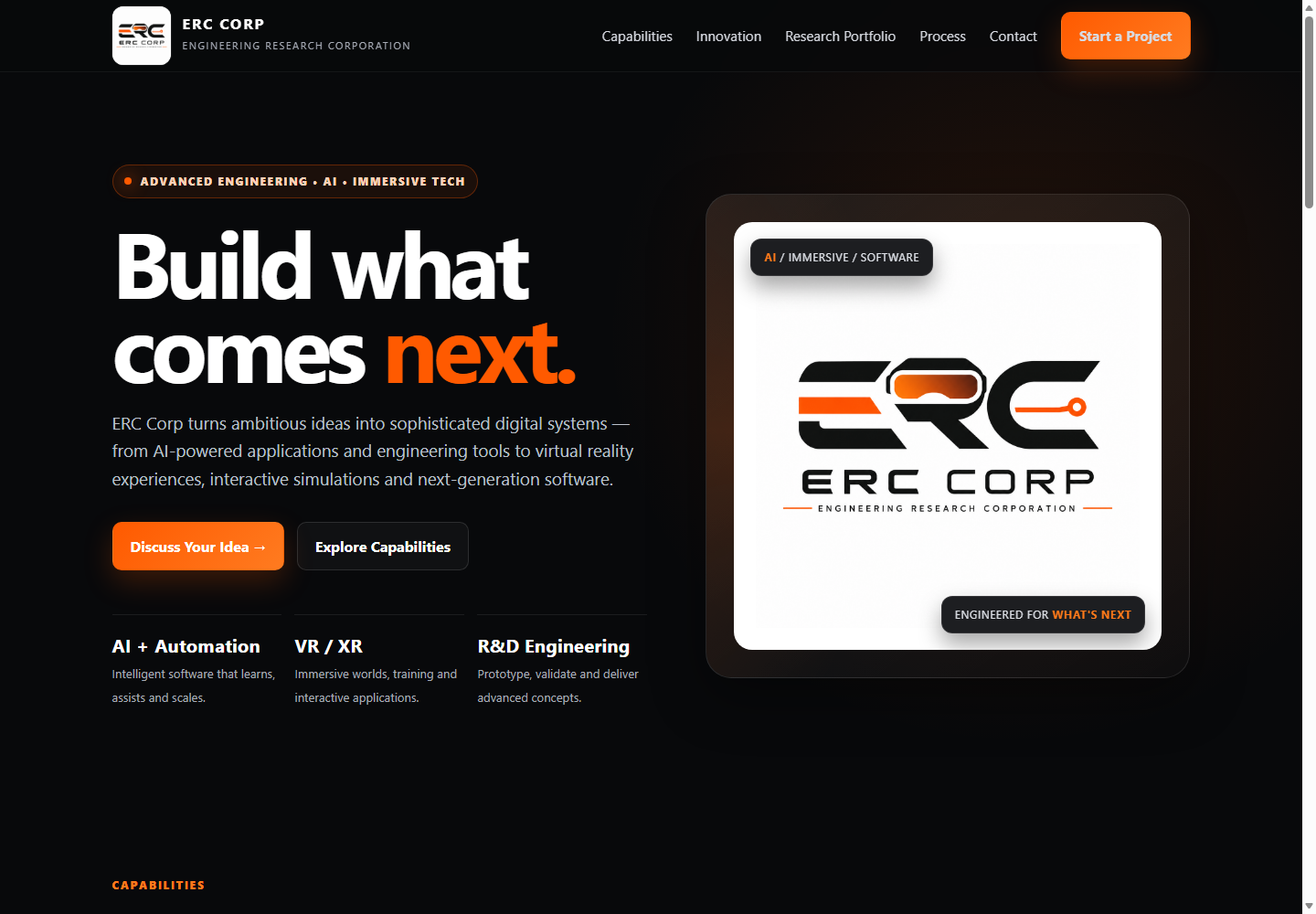
Build what comes next.

A first look at ERC?s website concept, highlighting engineering, AI, immersive technology, and research. Mockup shown; the project is coming soon.

ERC website mockup with a dark background, orange accents, company logo, and the headline Build what comes next
ERC website concept · Coming soon. Select the image to view the full-size preview.

Planned features

From public research
to everyday administration.

Signatures, email, recording, transcription, and AI assistance depend on the services and modules enabled for ERC.

Public company website

  • Responsive company, capabilities, and research pages.
  • Clear navigation, contact details, and calls to action.
  • Accessible structure and search-engine metadata.
GitHub research portfolio

  • Display research PDFs from a designated ERC GitHub repository.
  • Organize publications by subject, category, or repository folder.
  • Open PDFs in the browser, with category filters where configured.
  • Automatically surface new PDFs when supported by the repository structure.

Secure Site Workspace

  • Individual sign-in, sign-out, and password recovery.
  • Role-appropriate administrative access.
  • Central navigation for content, documents, forms, and enabled modules.
  • Basic module status and activity history.

Website customization

  • Edit company text, headings, research descriptions, and project content.
  • Manage supported pages, layouts, navigation, and links.
  • Adjust colors, banners, and calls to action.
  • Control content visibility and publication status.

Document management

  • Upload files with titles, descriptions, subjects, and categories.
  • Organize public and internal documents.
  • Publish, unpublish, replace, download, and archive supported records.
  • Associate documents with research or projects and add external document links.

Electronic signatures

  • Prepare documents and identify intended signers.
  • Create and send requests through the configured signature workflow.
  • Capture signatures and acknowledgments; track pending and completed requests.
  • Retain signed records, downloads, and basic workflow history.

Forms and submissions

  • Configure fields for inquiries, requests, acknowledgments, and internal records.
  • Collect and review submissions in the workspace.
  • Associate forms and submissions with documents or workflows.
  • Retain and export records where supported.

Meetings and AI assistance

  • Organize meeting records, agendas, notes, and attachments.
  • Record browser audio and transcribe meetings where enabled.
  • Generate draft summaries or minutes with configured AI assistance.
  • Review and edit drafts before approval, storage, or publication.

Communications

  • Prepare notices, announcements, and published updates.
  • Manage recipient details for configured workflows.
  • Prepare and send email through an enabled service.

Brand and media management

  • Upload and replace logos, photos, and graphics.
  • Assign imagery and backgrounds to supported sections.
  • Keep contact and social links current.
  • Remove outdated media and refresh published content.

Managed hosting and storage

  • Hosting for the website and authenticated workspace.
  • Database and file storage for configured modules.
  • HTTPS, domain configuration, and initial deployment.
  • Maintenance, monitoring, and portfolio integration support.

Launch and handoff

  • Discovery and design aligned with ERC branding and publishing needs.
  • Workspace configuration and GitHub portfolio integration.
  • Client review and refinement before launch.
  • Training for website content and enabled workspace tools.

Coming soon

Research and operations.
Connected.

Contact Macke's Software to learn more about ERC or discuss a website and workspace for your organization.